Microsoft Places works better when your space data is right.

Eptura connects directly to Microsoft Places, keeping your space data accurate without the manual effort — for IT, Facilities, and everyone in between.

100%
Floor plans always up to date, automatically
0
Deploy without touching PowerShell
80%
Cut floor plan management time by 80%

Eptura and Microsoft Places, better together

Eptura manages space
Authoritative system of record
Microsoft Places activates it
Employee experience layer
Automatic synchronization
Always accurate, no manual work

How Eptura connects to Microsoft Places.

Eptura for Microsoft Places integrates directly with the Microsoft Graph API to automate the configuration and ongoing maintenance of Microsoft Places using authoritative space data.

Automated floor plan sync icon
Automated floor plan sync
From Eptura to Microsoft Places
No PowerShell scripting icon
No PowerShell scripting
Deploy without manual configuration
No duplicate data icon
No duplicate data
Single source of truth maintained
No ongoing IT bottlenecks icon
No ongoing IT bottlenecks
Facilities teams work independently

Up and running in two steps

Step 1
Space is modeled and managed in Eptura
Floors, rooms, capacities and attributes — single source of truth
Step 2
Data synchronized with Microsoft Places
Secure, scalable floor plan integration — no duplicated data

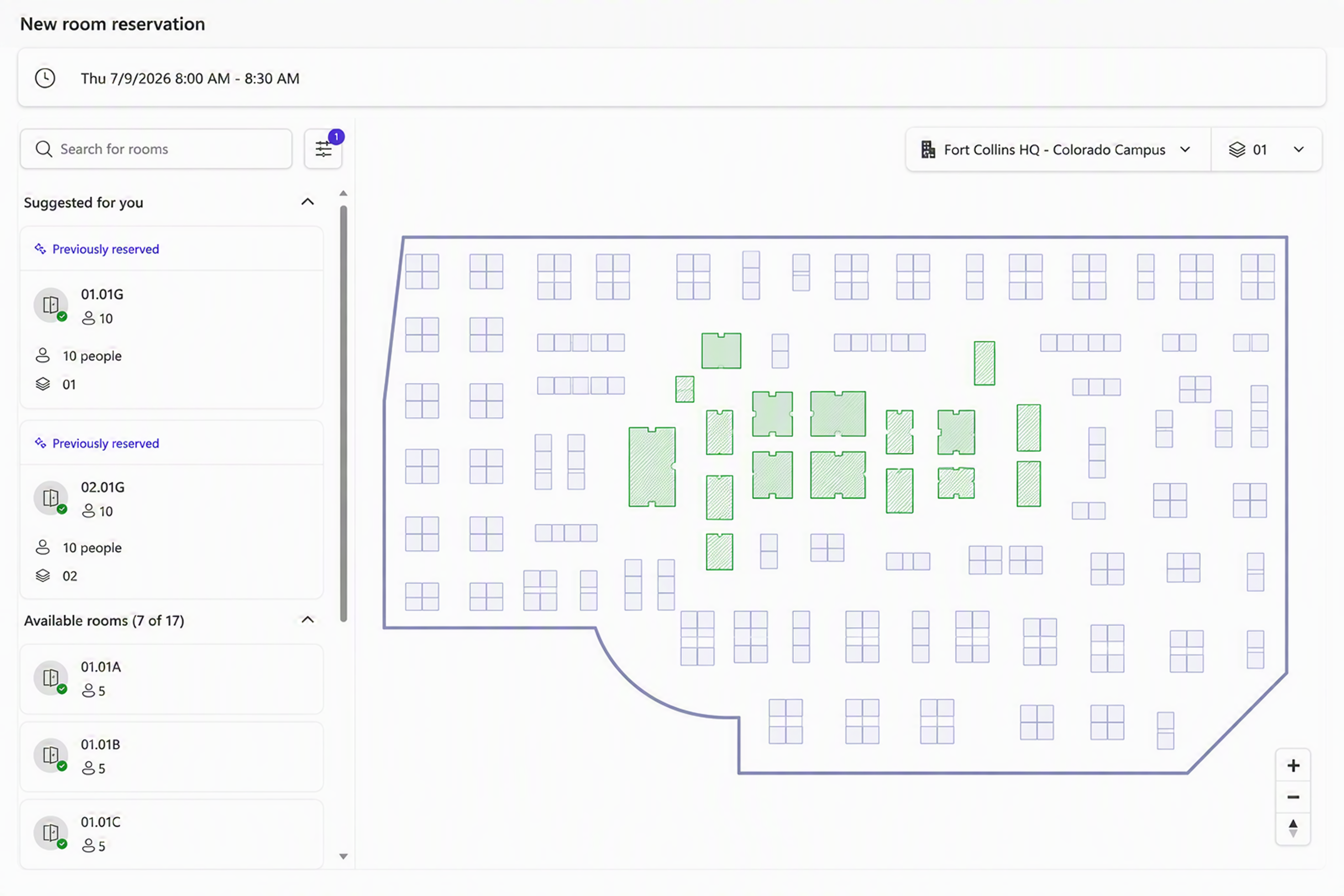
A seamless experience for end users

Eptura's Unified Space Layer

Facilities teams manage all space data in Eptura as the authoritative system of record.
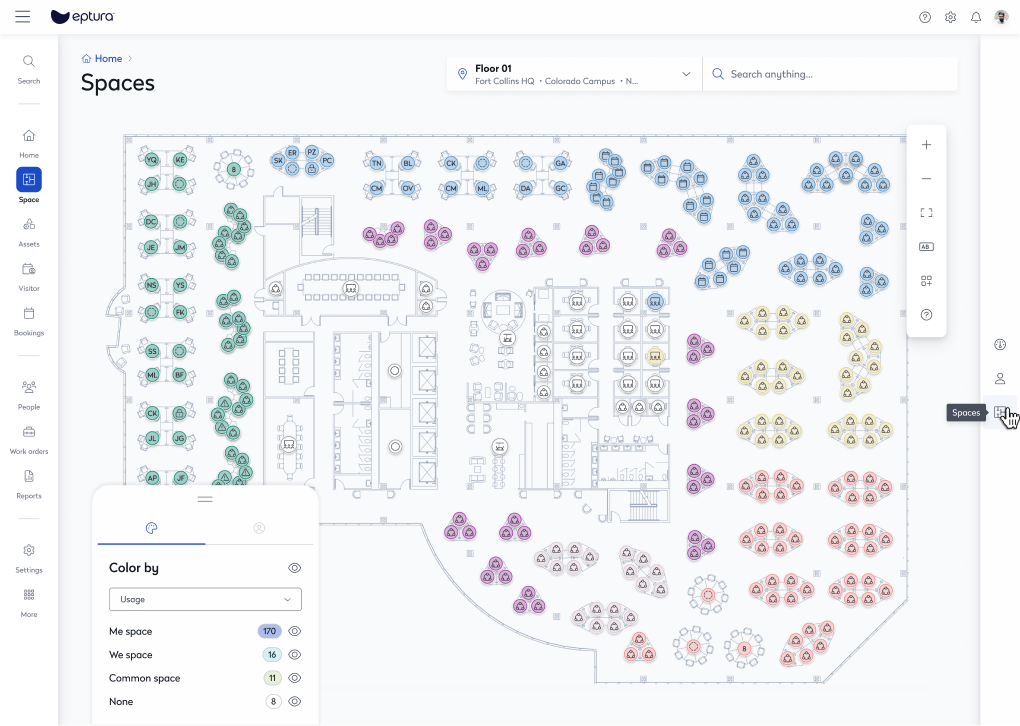
Eptura space planning interface showing floor plan with room listings
Employee experience

Employees access accurate space data directly within their familiar Microsoft 365 environment.

Your whole workplace, inside Microsoft 365.

No friction for employees - no new tools, no new workflows, no additional training.

See who's in the office icon
See who's in the office
Real time visibility of colleagues' locations
Coordinate office days with colleagues icon
Coordinate office days with colleagues
Plan your week with your team
Reserve desks, rooms and shared spaces icon
Reserve desks, rooms and shared spaces
Book the spaces you need, when you need them
Discover office events and on-site activities icon
Discover office events and on-site activities
Stay connected with workplace happenings

Less IT overhead. More employee confidence

Space changes propagate automatically - update once in Eptura, sync everywhere.

Eptura remains the single system of record for space icon
Eptura remains the single system of record for space.
From Eptura to Microsoft Places
Microsoft Places consumes trusted spatial data icon
Microsoft Places consumes trusted spatial data.
Deploy without manual configuration
Facilities teams operate independently icon
Facilities teams operate independently.
Single source of truth maintained
IT maintains governance icon
IT maintains governance through Microsoft 365 and Graph.
Facilities teams work independently

"By leveraging Eptura's location data as the spatial system of record for Microsoft Places, we're enabling organizations to deliver a more connected, intuitive workplace experience—helping employees easily find spaces, colleagues and resources that make every office visit more productive."

Brennan McReynolds
Brennan McReynolds
Product Lead, Microsoft Places
Ability to execute → Gartner Magic Quadrant Completeness of vision →

Eptura is a Leader in Gartner® Magic Quadrant™ for Workplace Experience Applications

View report

The perfect partnership for workplace excellence.

Microsoft Places
  • Native employee experience in Microsoft 365
  • Seamless workspace discovery and booking
  • Team coordination and visibility
Eptura – unified space layer
  • Enterprise-grade space modelling
  • Ongoing operational workflows
  • Governance and accuracy at scale

Ready to transform your workplace experience?

See how Eptura and Microsoft Places work together to deliver a seamless workplace experience.

Book a demo