Systematized troubleshooting helps facility and maintenance professionals bring order and predictability to operations, consistently moving their teams to stronger effectiveness, higher efficiency. By following the same four steps, you can reduce unscheduled downtime, while increasing technician close-out rates. And for larger organizations, troubleshooting backed by a unified company-wide asset management platform empowers them to share lessons learned across locations, facilities, and equipment, multiplying the return on investment.
What is equipment and machine troubleshooting?
Troubleshooting is a defined process for finding a solution when you know there’s a problem but you’re not sure where it’s hiding. Although there are only four steps, facility and maintenance professionals can accidentally end up repeating the second and third steps without ever reaching the fourth. They need to work methodically and with the right support. From there, it’s a straight line from problem to solution.
The steps for effective, efficient troubleshooting are:
- Identify
- Plan
- Test
- Resolve
First, you identify the problem. For example, the forklift won’t start, but you don’t know why. Next, you plan a response, usually trying to start with the easiest fix. So, maybe it’s not in Park, and there’s a safety feature that prevents you from starting it. Here, your response is to check if it’s in Drive. Next, you test to see if your response worked. Will it start now that it’s in Park? In this case, we can imagine that it doesn’t. And that’s not uncommon. A lot of the time, you’re not going to guess correctly the first time.
So, you double back to the plan-a-response step. It could be the battery’s dead. You switch out the old battery for a fresh new one. Test one more time, and success! The forklift starts. You’ve now reached the last step, resolve.
What is equipment troubleshooting software?
Good troubleshooting requires you to work methodically and with the right support. And nothing supports you as well as a software for maintenance management.
It’s a complete system for efficiently managing facilities and asset maintenance, helping you take care of:
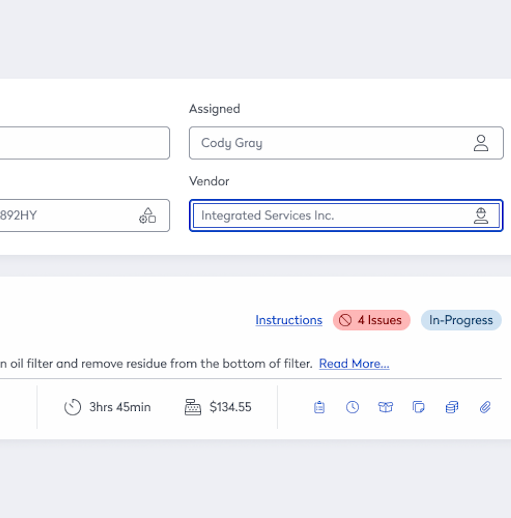
- Managing and tracking work orders
- Controlling and tracking inventory
- Tracking key performance indicators (KPIs) and generating reports
- Managing third-party vendors
- Scheduling and tracking preventive maintenance
- Managing assets and equipment throughout their life cycles
Modern platforms are backed by cloud-based computing, which means everything is kept safe and up to date in one database, accessible from anywhere, at any time.
Examples of troubleshooting with asset management software
Troubleshooting is best when moving in a straight line, from problem to solution, not running around in circles. The better you can support and streamline your processes and procedures with asset management software, the straighter the line.
Understand the system with maintenance management software, digital manuals and schematics, and an open request portal
Understanding the system means knowing how assets look and sound when everything is running smoothly. It’s knowing the parts and how they work together. This is important because the fastest way to figure out what’s wrong with an asset is to compare how things are when it’s not working to how they are when it is.
Quick example: The AC is not working, and there’s a puddle of clear liquid underneath it. If you don’t know much about compressors, you’re going to waste time checking possible explanations. But if you know how an AC works, you can work out a solution much faster. The more you know about your asset when it’s working, the faster you can fix it when it’s not.
Maintenance management software helps here in two important ways. One, it’s a great way to make an asset’s manuals and schematics available to technicians. Instead of being in an office trapped in a stack of papers, everything techs need to know about an asset is in digital form, which they can access and read on any computer or mobile device.
Two, it has an open maintenance request portal. When an operator notices a problem with an asset, they can quickly and seamlessly report it to the maintenance department. They just log in. They’re not wasting time tracking emails or phone numbers. And because the portal has maintenance request templates, operators know what information to include. Compare that to an email or voice mail. Instead of random bits of information spit out in a jumble, you get data that’s standardized and complete.
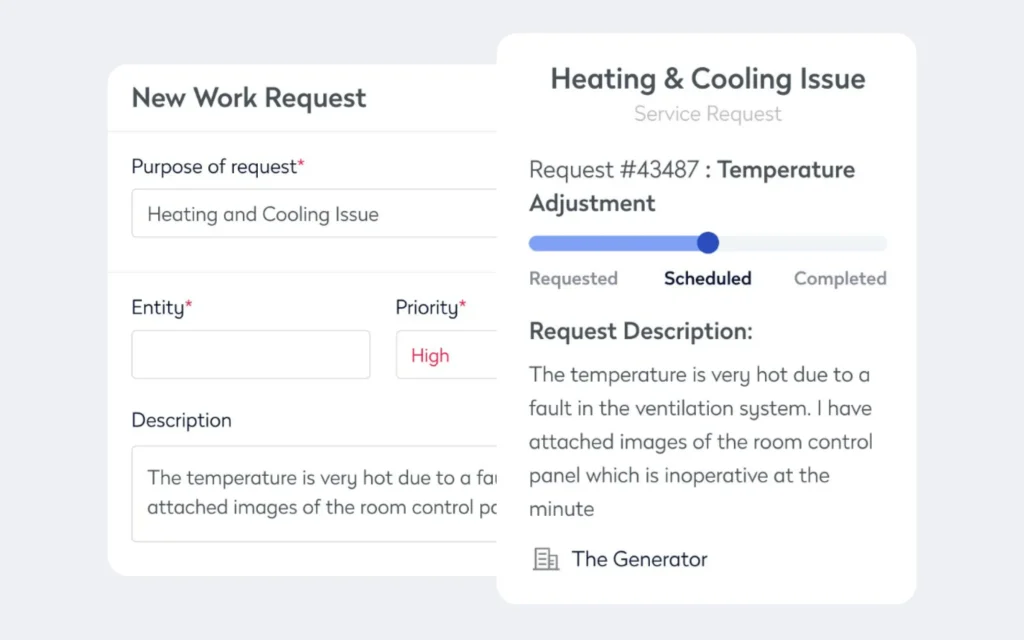
Often, the one person who knows any given asset better than the maintenance department is its operator. They’re experts on what it sounds and looks like when it’s running properly. And when they’re able to effortlessly connect with the maintenance department, techs benefit from the operator’s asset expertise.
Know the whole history with maintenance management software, accurate, up-to-date asset history and reports
Start by knowing how things look when everything’s running smoothly. Next, get an idea of how things tend to look when there are problems. Knowing an asset’s maintenance and repairs histories should give you a good idea of what’s causing any current problems.
History has a way of repeating itself. The trick is to look at the whole history, or at least as much as you can. But focusing on just the last time you fixed an asset isn’t enough. Instead, take a wider view and look for trends.
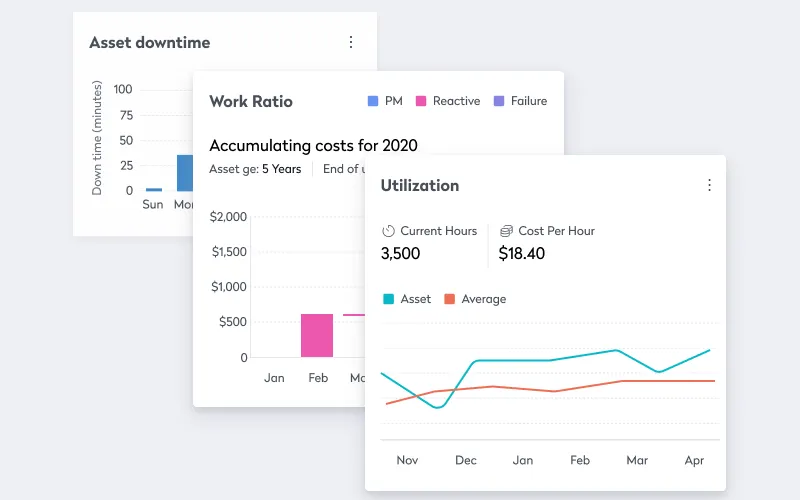
Maintenance management software helps facility and maintenance professionals by making collecting and accessing work order histories faster and more reliable through automation. And with autogenerated reports packed with KPIs and easy-to-read graphs, you can quickly know everything you need to about an asset’s maintenance history.
Maintenance management software is great at keeping data safe, accessible, and up to date. With traditional paper-based maintenance management systems, this is impossible. When everything is written down on paper, the only way to keep it safe is to lock it up in the maintenance department’s office. Even then, it’s easy to misplace a few pieces of paper.
For departments that use spreadsheets, there’s always the problem of keeping the information both accessible and up to date. As soon as you email someone a spreadsheet, there are now two copies: the one on your computer and the one on theirs. Changes you make to your copy don’t transfer over to their copy. You’re not sharing data; you’re creating unconnected, increasingly different versions of it. Modern maintenance management software keeps everything in one central database where it’s updated in real time. There’s one master version of the data. Everyone can see it.
Leverage your insights across the enterprise with maintenance management software, work order templates, and customizable instructions and checklists
Once you’ve gone through the related work order histories and worked out a list of likely causes, you can start to streamline future troubleshooting efforts by creating checklists. So, the next time an asset needs maintenance, you’ve got a handy list of things to check, in order from the most to least likely causes of the problem.
Customizable troubleshooting checklists deliver even more value as your company grows. At the enterprise level, you can leverage insights from one location across multiple facilities and assets. So, a company running a large fleet of construction vehicles can take successes they’ve had at one location and spread it across many. For example, once they’ve determined with reliable data that when the arm on a specific model of excavator stops working, it’s often because of a leaking pressure seal, they can add that to the top of the troubleshooting list of elements to check.
Writing good checklists is part science, part art. Ideally, you want to avoid being vague.
For example:
- Check battery
- Check alternator
- Check coolant
It’s better to include all the steps to make sure nothing gets skipped. The instruction just to check the battery can include:
- Check battery charge using meter
- Inspect posts for signs of corrosion
- Inspect case for swelling and bloating
- Check case for unusual smells
The more specific your steps, the better.
Maintenance management software gives you a simple way to build these lists and then make sure everyone follows them. With work order templates, you can easily set up templates for specific assets. When there’s a problem without an obvious cause, you can generate a data-packed work order template with just a few clicks.
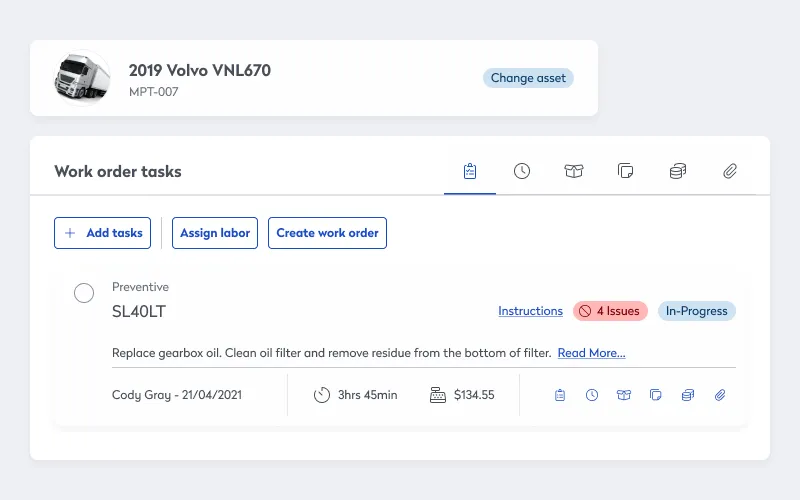
Work order software means technicians have everything they need to close out efficiently, including:
- Customizable instructions and checklists
- Maintenance and repairs histories
- Associated parts and materials
- Digital pictures, schematics, and OEM manuals
Complete root cause analysis with maintenance management software and preventive maintenance scheduling
It’s not enough to figure out what caused a breakdown. You need to figure out a way to prevent it from happening again. Root cause analysis is the process of finding the problem behind the problem.
The generally accepted advice is to ask yourself why five times, each time moving closer to the original source of the problem. If, for example, the battery dies on an earthmover, you work your way toward the underlying reason.
One: “Why is the car not starting?”
Answer: The battery is dead.
Two: “Why is the battery dead?”
Answer: Because the alternator is not functioning, the battery was drained.
Three: “Why was the alternator not working properly?”
Answer: There was a broken part inside it.
Four: “Why did this part break?”
Answer: The alternator is old, and all the parts are prone to breaking.
Five: “Why hadn’t it been replaced?”
Answer: The maintenance team is not following current best practices.
Once you know the root of the problem, you can take steps to prevent it from happening again. Instead of just charging or replacing the battery every time it’s dead, you start following best practices for when to check and replace the alternator.
The key to effective troubleshooting lies in a structured approach. By following the four-step process of identifying, planning, testing, and resolving, you can find and fix problems with precision. Leveraging maintenance management software not only simplifies and streamlines the process but also enhances communication, so large organizations can share lessons learned at one facility across every other location the company has already implemented the same software platform.

By Jonathan Davis
As a content creator at Eptura, Jonathan Davis covers asset management, maintenance software, and SaaS solutions, delivering thought leadership with actionable insights across industries such as fleet, manufacturing, healthcare, and hospitality. Jonathan’s writing focuses on topics to help enterprises optimize their operations, including building lifecycle management, digital twins, BIM for facility management, and preventive and predictive maintenance strategies. With a master's degree in journalism and a diverse background that includes writing textbooks, editing video game dialogue, and teaching English as a foreign language, Jonathan brings a versatile perspective to his content creation.