

Getting employees back into the office is one challenge. Making sure the office works well once they get there is another.
That second challenge has become harder as workplaces have become more flexible. Employees may sit somewhere different every time they come in. The colleagues they want to see might be on another floor or in another part of the building. Meeting rooms fill up quickly on busy days, while other areas sit largely unused. Visitors have to navigate the same environment without knowing the building at all.
The numbers show just how much activity workplace teams are managing. Eptura’s Workplace Index found that 34% of businesses planned to increase office attendance. Desk bookings grew 33% year over year, and the number of visitors per location nearly doubled over three years.
Helping people find their way through this environment takes more than signs and directories. Workplace wayfinding now connects floor plans, booking systems, mobile apps, visitor management, and workplace data. Done well, those connections remove some of the small frustrations that can make an office day harder than it needs to be.
Key takeaways
- Wayfinding is now part of the broader workplace experience. In hybrid environments, employees need more than directions. They need help finding available spaces, colleagues, amenities, and resources as workplace conditions change throughout the day
- Connected systems make navigation more useful. Interactive floor plans become more valuable when they work with desk and room booking, visitor management, employee directories, and workplace data
- Better wayfinding supports more intentional office days. Employees can spend less time searching for spaces and people and more time collaborating, meeting, and completing the work they came into the office to do
- Workplace data adds context to navigation. Availability, utilization, employee schedules, and space information can help people find options that match what they need rather than simply showing them where spaces exist
- AI can make wayfinding more proactive. As workplace systems become better connected, AI can help recommend appropriate spaces and automate routine decisions based on real-time workplace information
Hybrid work changed the way people navigate the office
For years, familiarity did much of the work that wayfinding technology does today.
Employees knew where their desks were. They knew where to find their teams and which meeting rooms were nearby. Even in a large office, following the same routine every day made the building easier to navigate.
Hybrid schedules broke many of those routines.
Workplace Index research shows that office attendance continues to peak in the middle of the week. Employees are also coming in for specific reasons, particularly to work alongside other people. That changes what they need from the workplace.
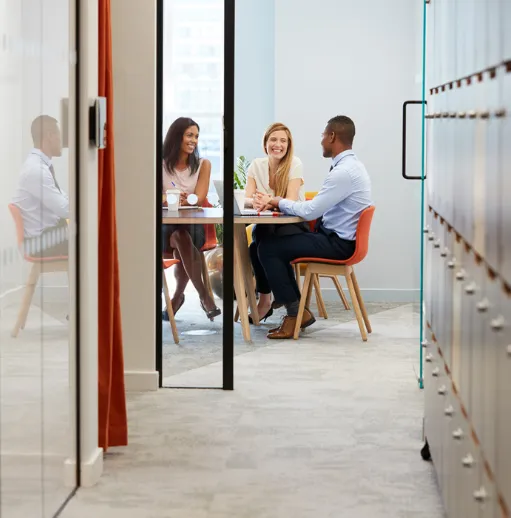
Consider someone coming in on Wednesday because most of their team will be there. They need a desk, preferably close to those colleagues. They may need a room for an afternoon meeting and a smaller space for a quick conversation later. If they’re working from a floor they don’t usually visit, they also need to know where everything is.
None of those tasks is particularly complicated. Together, though, they can add unnecessary friction to the day.
That friction is worth paying attention to. On a recent episode of Eptura’s Workplace Innovator Podcast, workplace consultant Tonya Thornburgh argued that innovation in the built environment is less about adding the latest technology and more about understanding human behavior, removing barriers, and designing adaptable systems.
Wayfinding is a practical example of that idea. The goal isn’t to give employees more technology to manage. It’s to remove the moments where they lose time or encounter uncertainty because they don’t know where to go next.
Wayfinding needs to reflect a workplace that changes throughout the day
Physical signs still matter. People need room names, floor numbers, directions, accessibility information, emergency signage, and other visual cues as they move through a building.
The limitation is that a sign can only tell someone so much.
A directory might show where a collaboration area is, but not whether anyone is using it. A floor plan can identify a bank of desks without showing which ones are available. An arrow can point toward meeting rooms but cannot help an employee choose one that fits six people and is free for the next hour.
Digital wayfinding fills in those gaps.
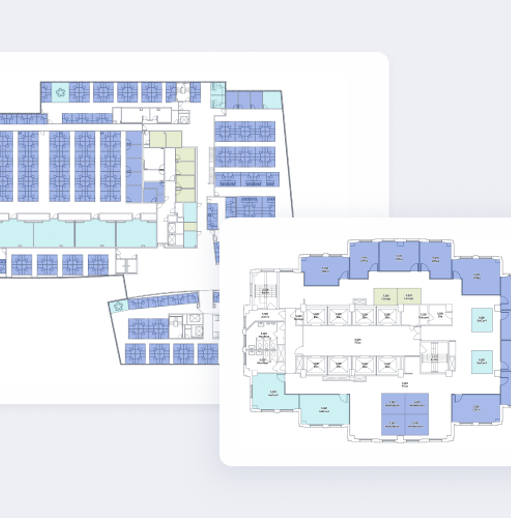
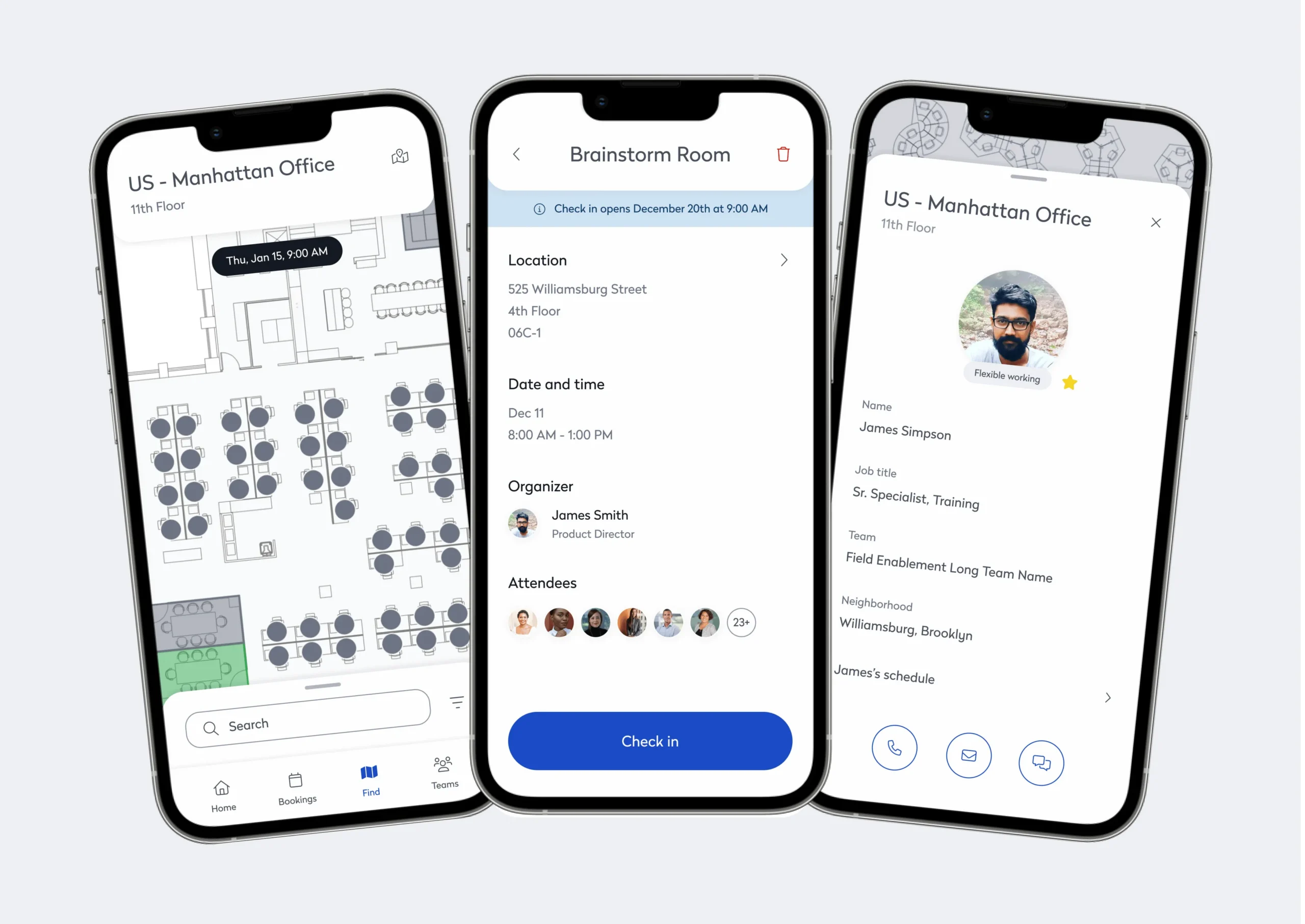
Interactive floor plans give employees a way to search the workplace rather than memorize it. When those maps connect with desk and room booking, people can see what is available as well as where it is. Mobile access means that information stays with them as they move around the building.
The important shift isn’t from physical to digital. It’s from static information to connected information.
That distinction matters in a workplace where availability, occupancy, and even where someone’s teammates are sitting can change from one day to the next.
Think about the employee’s whole office day
Wayfinding makes more sense when viewed as part of an employee journey rather than a standalone tool.
An employee might decide to come in after seeing that several teammates will be in the office. Before leaving home, they reserve a desk near the group. When they arrive, their phone shows them where to go. Later, someone suggests getting together for a quick meeting. They find an available room nearby, reserve it, and head there.
There is no point in that sequence where the employee thinks, “I am using wayfinding.”
They’re simply getting through their day.
That’s an important benchmark for workplace technology. Employees shouldn’t have to understand the systems behind an experience for that experience to work well.
Eptura’s workplace app brings several of these interactions together. Employees can view floor plans, find available desks and meeting rooms, locate colleagues and common areas, and reserve spaces from a mobile device.
For hybrid employees in particular, having those functions together removes the assumption that everyone already knows the building. It also makes unfamiliar company locations easier to use. Someone visiting another regional office can interact with the workplace in much the same way they do at their usual location.
The visitor journey starts before the lobby
Visitors have even less room for uncertainty because they don’t have previous experience with the workplace to fall back on.
And organizations are welcoming more of them.Workplace Index found that visitor numbers per location nearly doubled over three years.
A visitor’s impression of the workplace can form well before a receptionist says hello.
Which entrance should they use? Where should they park? Do they need identification? Who are they meeting? What happens when they arrive?
Providing that information ahead of time eliminates a lot of unnecessary uncertainty.
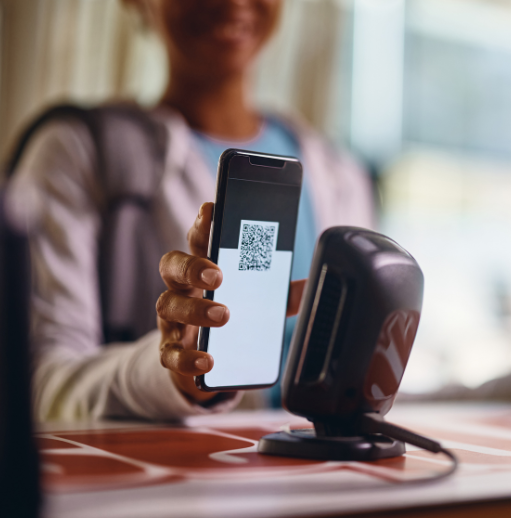
With a connected visitor management process, the host can pre-register a guest and send relevant arrival details in advance. Once the visitor reaches the building, a QR code or other digital workflow can speed up check-in. The host receives a notification, and the visitor has the information needed to get to the meeting location.
What matters is the continuity. The visitor isn’t being handed from one disconnected process to another. Arrival, check-in, host communication, and navigation feel like parts of the same experience.
For workplace teams, that also means fewer routine questions and manual handoffs. Reception can spend less time giving basic directions while visitors get more control over their own journey.
Workplace data makes navigation more useful
A map answers one question: Where is it?
Connected workplace data can answer the next one: Is it worth going there?
That difference becomes particularly useful in flexible offices.
If an employee needs somewhere to work, knowing there are desks on the fourth floor doesn’t tell them much. Seeing which desks are available is better. Seeing an available desk near three teammates, with the equipment they need and an open collaboration space nearby, is better still.
Getting to that level requires information from different workplace systems to work together.
Booking data provides availability. Floor plans provide location. Employee schedules can show where colleagues plan to work. Space information identifies equipment and amenities. Occupancy and utilization data adds another view of how the environment is being used.
The information is valuable for workplace teams, too.
Patterns in bookings, searches, routes, and utilization can expose things that aren’t obvious from a floor plan. Employees may repeatedly crowd into one area while comparable space nearby goes unused. Certain rooms may receive constant demand. A common route through a building could become congested during peak periods.
The larger opportunity is to use that information to create workplaces that respond to how people actually work.
Rebecca Swanner, Associate Principal and Senior Workplace Design Leader at HED, discussed that idea on a 2026 episode of Eptura’s Workplace Innovator Podcast. She described responsive environments that use real-time data to adapt to people’s needs and argued that workplace leaders should look beyond occupancy when measuring whether a workplace is successful.
That distinction is important for wayfinding. Knowing how many people came into the building tells workplace teams very little about whether those employees found the right spaces, connected with colleagues, or had a productive office day.
Over time, the relationship works both ways. Better data helps employees navigate the office, while the way employees navigate provides workplace teams with more information about how the office is performing.
Connected technology matters more than another standalone tool
Most large organizations don’t have a shortage of workplace technology.
In fact, the opposite is often true.
Workplace Index found that two-thirds of businesses use between six and 40 solutions to manage workplace operations. That creates an obvious consideration for any organization evaluating wayfinding technology: Will it connect with the systems already shaping the workplace experience, or become another place employees have to look for information?
A floor plan becomes more useful when it knows which desks are available. Desk booking becomes more useful when an employee can see where a workspace sits in relation to colleagues. Visitor management becomes more useful when arrival information carries through to the guest’s experience inside the building.
Lisa Copland, Managing Director and Founder of Presynct, made a similar point on the Workplace Innovator Podcast. She described workplace transformation as an interconnected system of business strategy, workplace experience, spatial design, technology, and change management. Improving one piece without considering the others can limit the impact of the investment.
The same thinking applies to wayfinding. A digital map by itself may solve a navigation problem. Connecting that map to booking, workplace data, visitor management, and other systems turns it into part of the workplace experience.
Real-time information matters for the same reason. An office can change considerably between 8 a.m. and 2 p.m. A static representation of the building doesn’t necessarily reflect the options an employee has at that moment.
Search should also extend beyond room numbers. Employees may be looking for a person, an amenity, a department, a type of workspace, or simply somewhere appropriate to work for the next hour.
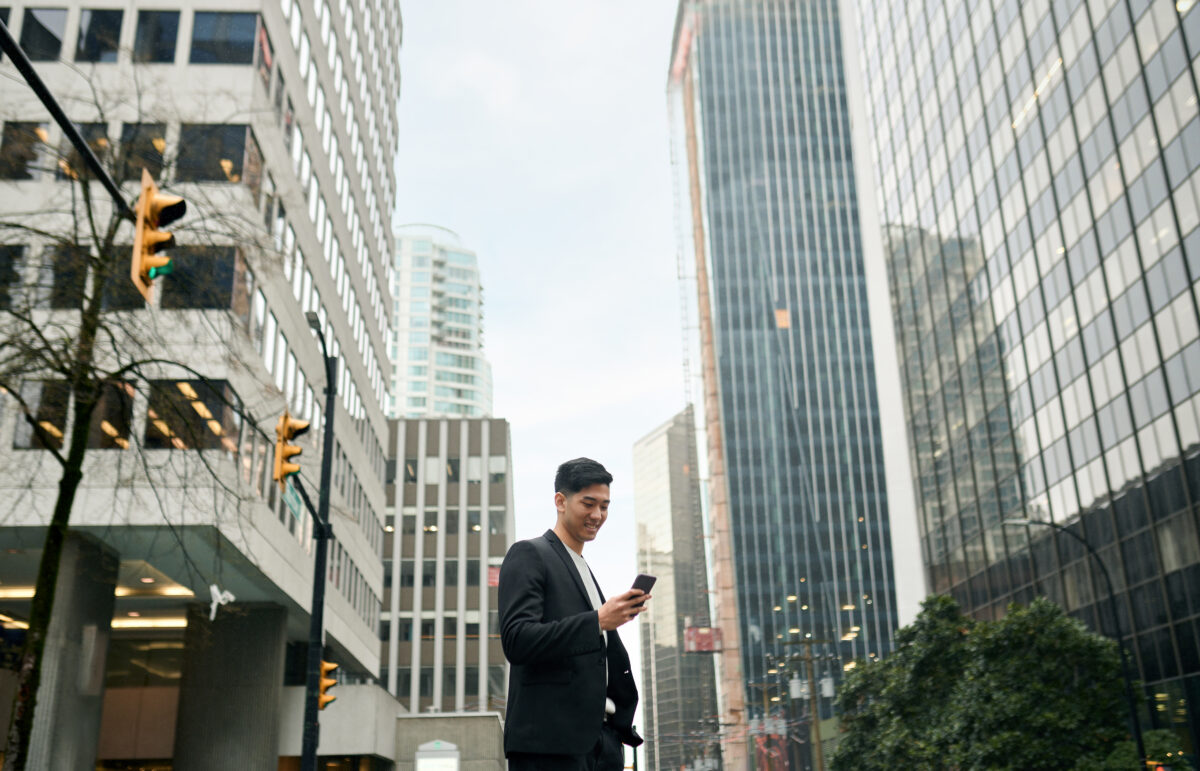
Mobile access makes those capabilities practical while someone is moving through the building rather than sitting at a computer.
For organizations managing multiple locations, consistency becomes another consideration. Employees shouldn’t need to relearn the basic process of finding a desk or meeting room every time they visit another office.
The goal isn’t to add as many wayfinding features as possible. It’s to make the different parts of the workplace easier to use together.
Accessibility can’t be an afterthought
A connected workplace isn’t effective if part of the workforce has difficulty using it.
Physical and digital wayfinding should account for accessible routes, readable displays, contrast, clear language, assistive technologies, and the needs of people navigating the workplace in different ways. Depending on the organization and location, multilingual support and visual or auditory guidance may also be important.
Eptura’s workplace wayfinding guidance emphasizes accessibility-first design, including accessible routes, readable fonts, high-contrast visuals, intuitive language, and support for assistive technologies.
There is also a broader benefit to getting these fundamentals right.
Clearer instructions help someone visiting the office for the first time. Consistent room names help employees who don’t work from that location often. Easy-to-read maps help someone moving quickly between meetings. Straightforward routes help visitors who are already trying to keep track of an unfamiliar building and a meeting schedule.
Designing for accessibility often results in a workplace that’s easier for everyone to navigate.
AI needs workplace intelligence behind it
The next step in wayfinding isn’t necessarily a better map.
It’s reducing how much searching employees have to do in the first place.
Suppose an employee needs a desk for the day. They could look at a floor plan, check where teammates are sitting, compare available desks, see which spaces have monitors, and choose the best option.
Or they could ask: “Where can I find a desk near my team with a monitor available?”
When workplace systems share the right information, an intelligent platform can use availability, colleague schedules, floor-plan data, and workplace amenities to narrow the options.
But AI is only as useful as the workplace information behind it.
Melissa Marsh, Founder and Executive Director at PLASTARC, addressed that challenge on the Workplace Innovator Podcast. Her point was straightforward: Organizations need intelligence before they can expect AI to deliver meaningful workplace outcomes. Building and design systems need to be digitized and connected with HR, data, and technology platforms.
That foundation is particularly relevant to intelligent wayfinding. An AI assistant cannot recommend the best desk near a team if desk availability, employee schedules, floor plans, and workplace resources exist in isolated systems.
Integration gives AI context.
We’re already seeing the employee experience move in that direction. Intelligent booking can help automate workplace coordination, using available information to reduce the number of routine decisions employees have to make themselves.
That changes the role of workplace technology. Instead of providing another interface employees need to manage, the technology begins doing more of the coordination behind the scenes.
For wayfinding, the opportunity is to move from “Here’s what’s available” toward “Here’s the option that makes the most sense for what you’re trying to do.”
What should workplace leaders look for in wayfinding technology?
A polished digital map isn’t enough to tell workplace leaders whether a wayfinding solution will work across a complex portfolio.
The better questions are about what happens around that map.
Can employees search for people as easily as rooms? Does availability update as bookings change? Can someone reserve a workspace without leaving the experience? Will visitors receive useful information before they arrive? Does the system work consistently across different buildings? Can workplace teams see how people use spaces rather than simply how those spaces appear on a floor plan?
Integration should be high on the list.
The wayfinding experience becomes more useful when it can connect with desk and room booking, visitor management, employee directories, space management, and utilization information. Otherwise, employees may find themselves jumping between systems to answer what feels like one simple question.
Mobile access matters for an equally practical reason: Navigation happens while people are moving.
Scalability is another consideration for organizations with multiple locations. Employees may work primarily from one office but occasionally visit several others. Giving them a familiar way to search, book, and navigate can reduce the learning curve every time they enter a new building.
Finally, look at what the system gives workplace teams in return. Navigation shouldn’t only help employees consume workplace information. Search patterns, utilization data, and other insights can help CRE and FM teams understand what people need from the workplace and where the current experience falls short.
Look at wayfinding through an operational lens
The easiest way to measure wayfinding is whether people reach their destinations.
That doesn’t tell the whole story.
Workplace leaders should also consider what better navigation changes elsewhere in the organization.
If employees can find available spaces more easily, does utilization improve? If visitors receive better information before arriving, do reception teams spend less time answering routine questions? If employees can locate colleagues and collaboration spaces quickly, does the office better support the interactions they came in for?
These questions bring the conversation back to outcomes.
Swanner’s advice on the Workplace Innovator Podcast was to “focus on outcomes over occupancy.” For workplace leaders, that means moving beyond attendance as the primary measure of whether an office strategy is working.
There are also questions workplace data can help answer over time.
If certain areas consistently attract more traffic than others, why? Are employees struggling to find underused spaces? Do meeting room searches reveal a mismatch between the rooms available and the rooms people actually need? Are employees repeatedly choosing one neighborhood because other options are less visible?
These are no longer just navigation questions. They’re workplace planning and operations questions.
That is where intelligent wayfinding becomes particularly valuable. It helps employees make better decisions in the moment while giving workplace teams a clearer view of how people interact with the environment.
Making the workplace easier to use
Wayfinding doesn’t need to be the most visible workplace technology to have an impact.
In many cases, the opposite is true. The better the experience works, the less employees and visitors have to think about it.
They can find the right desk. They know where their colleagues are. An available meeting room isn’t difficult to locate. A visitor understands what to do when they arrive. Moving through an unfamiliar office doesn’t require stopping every few minutes to ask for directions.
Creating that experience requires more than putting a digital map on top of an existing workplace.
Recent conversations on Eptura’s Workplace Innovator Podcast point to the same broader direction. Thornburgh emphasizes removing human friction rather than chasing technology for its own sake. Copland describes workplace transformation as an interconnected system rather than a series of individual changes. Marsh argues that organizations need connected digital intelligence before AI can deliver on its promise. Swanner brings the discussion back to responsive environments and outcomes that tell leaders whether the workplace is actually working.
Together, those ideas offer a useful way to think about intelligent wayfinding.
The technology matters, but the end goal isn’t navigation for navigation’s sake. It’s giving people an easier way to use the workplace while giving CRE and FM teams better information about how that workplace performs.
Modern workplaces already generate large amounts of data about how people use space, where they collaborate, and which resources they need. Connecting that information to the employee and visitor journey can turn wayfinding from a basic navigation function into a meaningful part of workplace experience and operations.
Discover how Eptura’s connected workplace technologies can help employees and visitors move through the workplace with less friction while giving teams better visibility into how their spaces are being used.
Frequently Asked Questions

By Amanda Meade
Amanda Meade is a content creator at Eptura, specializing in workplace experience, meeting productivity, and emerging trends in workspace planning and visitor management. With a background in content marketing and SEO, she crafts clear, actionable content that helps teams work smarter through in-office collaboration. Throughout her career, Amanda has worked across industries, including home services, healthcare, real estate, and SaaS, developing a unique ability to distill complex topics into practical insights.