


Work order backlogs aren’t just lists of tasks waiting to be completed. They can expose exactly where your portfolio management breaks down. Whether it’s inconsistent prioritization across sites, resource allocation based on assumptions rather than data, fragmented vendor management, or technology that can’t handle multi-site complexity, your backlog reveals which operational failures are compounding.
With the right facility management platform, you get the visibility, standardization, and automation to address these root causes and maintain a backlog size that indicates healthy operations rather than growing risk.
Key takeaways
- Maintenance backlogs are a diagnostic tool: Work order backlogs don’t just measure workload. They expose exactly where standardization breaks down, visibility gaps exist, and reactive operations dominate across your portfolio
- Multi-site complexity requires purpose-built visibility: When comparable facilities show wildly different backlog patterns, you’re seeing process inconsistency, not capacity issues—and spreadsheets can’t give you the portfolio-level intelligence needed to fix it
- Prevention scales better than firefighting: Shifting from reactive work orders to systematic preventive maintenance doesn’t just reduce backlogs. Instead, it transforms scattered site-level operations into coordinated, data-driven facility management
These operational shifts require technology that matches multi-site complexity with enterprise-grade capabilities, not basic tools stretched beyond their design limits.
When does a maintenance backlog signal systemic risk?
Every multi-site operation carries a work order backlog. So, the question isn’t whether you have one. Instead, you need to figure out if yours indicates normal operational flow or mounting systemic issues.
Start by looking at just the size. If you have one that’s too small, you’re likely missing critical maintenance needs or have more technicians than you might need. If your backlog grows faster than your team can close orders, varies wildly between comparable sites, or includes aging work orders, you’re looking at operational risk that compounds daily.
How to diagnose backlog root causes
Once you know there’s a problem, the next step is finding the specific operational breakdowns causing it. For most facility and maintenance managers, there’s some combination of the factors driving failures, including:
- Process inconsistency across sites: When Site A has 50 backlogged orders and Site B has 250 despite managing comparable assets, you’re seeing different priority systems, work order categories that vary by location, and no standardized classification making portfolio reporting impossible
- Visibility and coordination failures: You’re learning about similar equipment issues at multiple facilities separately rather than systematically. You can’t benchmark performance between sites because each defines and measures work differently. Portfolio-level blind spots turn manageable issues into portfolio-wide crises.
- Resource planning based on gut feelings: You’re staffing facilities by square footage rather than actual maintenance demand. You can’t distinguish genuinely understaffed sites from those with inefficient workflows. Contractor management fragments across locations without portfolio-level performance visibility
- Technology gaps creating bottlenecks: Work orders arrive via different channels at different sites, including email here, phone calls there, paper forms somewhere else. Technicians waste time checking for assignments instead of executing them. Reporting requires manually consolidating inconsistent spreadsheets. Mobile access is limited or nonexistent
- Reactive-only operations: Preventive maintenance programs vary wildly by site or don’t exist. Every work order represents something that broke rather than something you maintained systematically. Your entire operation runs reactive firefighting while backlogs guarantee more fires tomorrow
Understanding where your processes break down points helps you implement the right fixes.
How to configure maintenance workflows that help control backlogs
Implement these workflow configurations to directly address the root causes of uncontrolled backlogs, inconsistent prioritization, poor visibility, inefficient assignments, reactive-only maintenance, and fragmented vendor management.
Standardize intake and automate intelligent routing
Implement consistent work order categories across all sites that align with how your organization manages maintenance, including corrective, preventive, emergency, project work, and inspections. Deploy clear priority definitions that mean the same thing regardless of where requests originate.
Your platform must enforce these standards through validated dropdown selections and mandatory fields, not relying on user discipline.

For example, configure emergency work orders — immediate safety risks, compliance violations, complete system failures — so they require response within one hour, while urgent orders, for degraded but functional systems affecting comfort or minor safety concerns, need a response within 24 hours. Routine orders, covering standard maintenance and minor repairs, can be scheduled further out.
Require portfolio-level visibility and triage
Set up real-time dashboards to show work order status across all locations with metrics by site, priority, age, work type, and asset category. You need to see which facilities require process improvement versus additional resources. You also need to spot identical issues appearing at multiple sites and coordinate portfolio-wide responses rather than addressing each one individually.
Leverage portfolio-level KPIs like average resolution time, backlog trends, aging work orders, first-time fix rates, technician productivity to enable data-driven resource allocation decisions. When metrics show similar facilities performing vastly differently, investigate why and replicate best practices rather than accepting inconsistency.
Look for platforms that enable cross-site resource deployment. When your San Diego facility gets hit with unexpected vacancies and backlog spirals, temporarily redirect resources from Los Angeles where backlogs remain controlled.
Implement skills-based assignment and mobile execution
Route work orders based on technician certifications and specializations, not just availability. HVAC work requires HVAC-certified technicians. Electrical work needs licensed electricians. Specialized equipment maintenance goes to certified technicians. Geographic optimization matters for multi-building campuses, so make sure to group nearby work orders together rather than sending technicians back and forth.
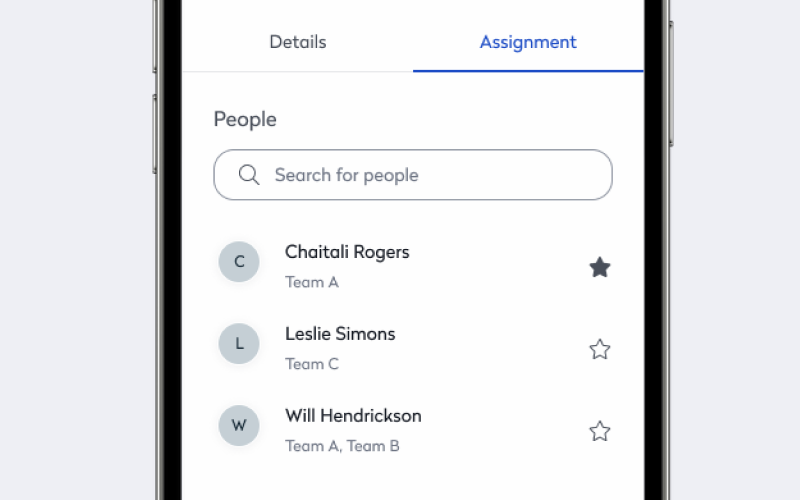
Workload balancing across team members prevents bottlenecks where one technician accumulates assignments while others run light. Integration with schedules and availability prevents assignments to people off-site, on vacation, or handling emergency work.
Technicians should receive assignments on phones or tablets, update status in real-time, attach photos of completed work, and close orders without returning to offices. By increasing efficiency, you can reduce backlog growth significantly while improving data accuracy and completion documentation.
Systematically integrate preventive maintenance
One of the most effective backlog reduction strategies prevents work orders from entering reactive queues in the first place. Schedule PM work orders systematically across all sites based on manufacturer recommendations, regulatory requirements, and historical performance patterns.
Require standardized PM schedules for similar equipment across locations ensuring consistent maintenance regardless of facility. When patterns emerge like multiple reactive orders for the same issue at the same asset, you can proactively update checklists and standard operating procedures.
Centralize vendor and contractor management
Implement portfolio-level contractor management with centralized vendor relationships and consistent service level agreements across all locations. You need visibility into external work order status identical to internal work tracking. Performance metrics for third-party providers must enable data-driven vendor selection rather than relying on site-level relationships.
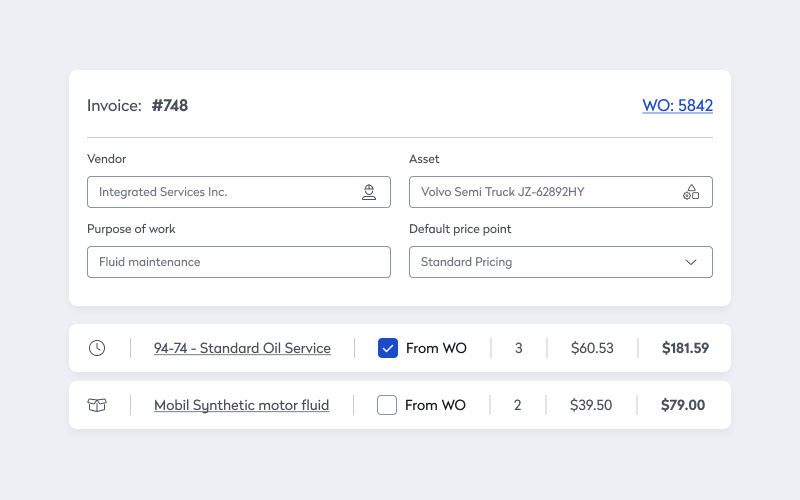
Coordinate contractor dispatch, track response times, capture work quality ratings, and aggregate performance data across your portfolio. When you need to scale contractor support during peak periods or address backlogs, negotiate from a position of portfolio-wide data rather than site-by-site anecdotes.
How to evaluate enterprise maintenance platforms for stronger backlog tracking and control
Not all maintenance software handles multi-site complexity. When evaluating platforms, it’s important to distinguish enterprise-grade solutions from basic CMMS tools repackaged and marketed to larger organizations.
When selecting a solution, look for:
- True multi-tenant architecture: Verify the platform was built for portfolio management, not bolted together from single-site tools. Ask how data segregation works. Confirm you can report both portfolio-wide and site-specific without exporting to spreadsheets
- Integration depth: Demand pre-built integrations with building management systems, IoT sensors, procurement systems, and business software. Ask specifically about API capabilities for custom integrations. Avoid platforms requiring manual data entry to connect systems
- Mobile-first vs. mobile-capable: Test whether the mobile experience provides full functionality or limited field views. Technicians must create, update, close, and document work orders entirely from mobile devices. “Mobile-capable” can mean “we added a mobile app as an afterthought”
- Reporting and analytics flexibility: Require customizable dashboards and reports without IT involvement. Ask to see portfolio rollup reporting, drill-down capabilities, and scheduled report distribution. Pre-built reports are useful but shouldn’t limit your analytical needs
- Implementation and support model: Understand the vendor’s implementation approach. Do they provide dedicated implementation managers? What’s included in standard deployment versus professional services? How does ongoing support work across sites? Multi-site rollouts require coordination expertise, not just software configuration
- Scalability and performance: Confirm the platform handles your asset count, work order volume, and user base without performance degradation. Ask existing customers managing similar portfolios about system responsiveness and reliability
Remember that technology alone won’t solve backlog problems. Choose a platform that supports the operational discipline required for effective backlog management while providing the flexibility to adapt as your portfolio and maintenance strategies evolve.
Get your backlog under control with Eptura Asset
Work order backlogs grow in the gaps between disconnected sites, inconsistent processes, and fragmented visibility. The longer they persist, the more they compound into operational risks, compliance exposure, and unnecessary costs that drain resources from strategic priorities.
Eptura Asset eliminates these gaps with an integrated platform purpose-built for enterprise facility management. Unlike fragmented tools cobbled together from multiple vendors, we deliver a unified system where data flows automatically between work order management, asset tracking, preventive maintenance scheduling, and portfolio reporting. Integration means you’re managing one platform instead of reconciling data from five different systems.
Ready to take control of your multi-site maintenance backlog?
Speak with an Eptura specialist to see how organizations like yours are eliminating backlogs and transforming their facility operations.
Frequently Asked Questions

By Jonathan Davis
As a content creator at Eptura, Jonathan Davis covers asset management, maintenance software, and SaaS solutions, delivering thought leadership with actionable insights across industries such as fleet, manufacturing, healthcare, and hospitality. Jonathan’s writing focuses on topics to help enterprises optimize their operations, including building lifecycle management, digital twins, BIM for facility management, and preventive and predictive maintenance strategies. With a master's degree in journalism and a diverse background that includes writing textbooks, editing video game dialogue, and teaching English as a foreign language, Jonathan brings a versatile perspective to his content creation.