A productive office day starts before anyone walks through the door. Employees use Microsoft 365 to communicate, collaborate, schedule, and access information, but planning time onsite can still pull them into separate workplace systems to find colleagues, reserve space, coordinate visitors, or request services.
Microsoft Ignite 2026 will bring customers, partners, and business leaders together to explore the latest cloud and AI innovations, develop practical skills, and learn what’s next across Microsoft technology. Eptura will join the November 17–20 event at Moscone Center in San Francisco and online as a sponsor and exhibitor. You’ll be able to see how employees can coordinate office days, book desks, reserve meeting rooms, and align workplace plans with colleagues without relying on disconnected workflows.
Key takeaways
- Eptura brings workplace actions into Microsoft 365: Employees can coordinate office days, reserve desks and rooms, and keep workplace plans aligned within familiar Microsoft experiences
- The Ignite demonstration follows a real office-day journey: You can see how Eptura Assistant, Eptura Engage, and Outlook connect decisions about team presence, work location, desks, rooms, and meetings
- Attendees can explore the story in person or online: Come to booth 558R for a hands-on employee experience and session ODSP2175 to see practical, actionable solutions
The connected-workplace story starts with the employee experience and extends into the information teams need to support it. Keeping workplace planning close to Microsoft 365 can reduce disconnected steps while giving employees a clearer path from scheduling work to using the physical workplace.
Where the physical workplace connects with Microsoft 365
Microsoft powers how people work. Eptura connects the workplace and operations around them. The idea is simple: Work happens in Microsoft 365. The workplace runs on Eptura. Together, they connect people, places, and operations into one workplace experience. Microsoft 365 provides the familiar flow of work, while Eptura connects the workplace actions required when that work moves into an office, meeting room, or shared space.
Consider the decisions behind a typical office day. An employee wants to meet with colleagues next week, but first needs to know which day the team will be onsite. Once they choose a day, they need a desk that supports the work they plan to do and a room for an afternoon meeting. Their calendar, work-location status, bookings, and meeting details all need to stay aligned as plans change.
Eptura brings those workplace activities into familiar Microsoft workflows. An employee could find the best day to come into the office next week, reserve a desk for Wednesday, and book a room for an afternoon meeting. Outlook keeps workplace scheduling close to the calendar, while Teams supports coordination with colleagues. Employees can keep workplace plans and work-location information aligned across the experiences they already use, reducing confusion about who plans to be onsite and when. When the meeting begins, Teams Rooms can provide a one-click transition from the scheduled event to the experience in the physical room.
That connected flow gives employees more confidence that the trip will be worthwhile. They can plan around the people they need to see, choose spaces that fit the work, and arrive with fewer logistical questions left unresolved. If plans change, they can adjust the day rather than arriving with stale information or discovering that a room, desk, or colleague is unavailable.
Extend familiar Microsoft experiences into the workplace
Microsoft 365 is where employees manage calendars, communicate with colleagues, join meetings, and coordinate their workdays. Eptura extends those familiar experiences into the physical workplace by connecting them with spaces, services, visitors, and workplace information.
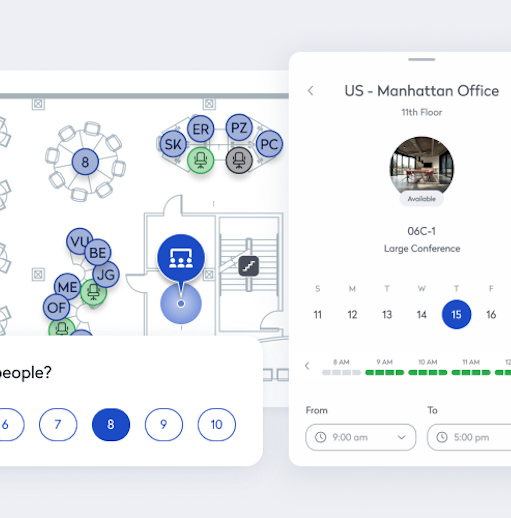
While Microsoft 365 helps people communicate, collaborate, and coordinate work, Eptura connects the spaces, services, visitors, and operational context that make work possible in the physical workplace. With Eptura Engage, employees can coordinate in-office team days, see who plans to be onsite, and find and reserve focus desks, collaboration areas, and meeting rooms based on how they need to work.
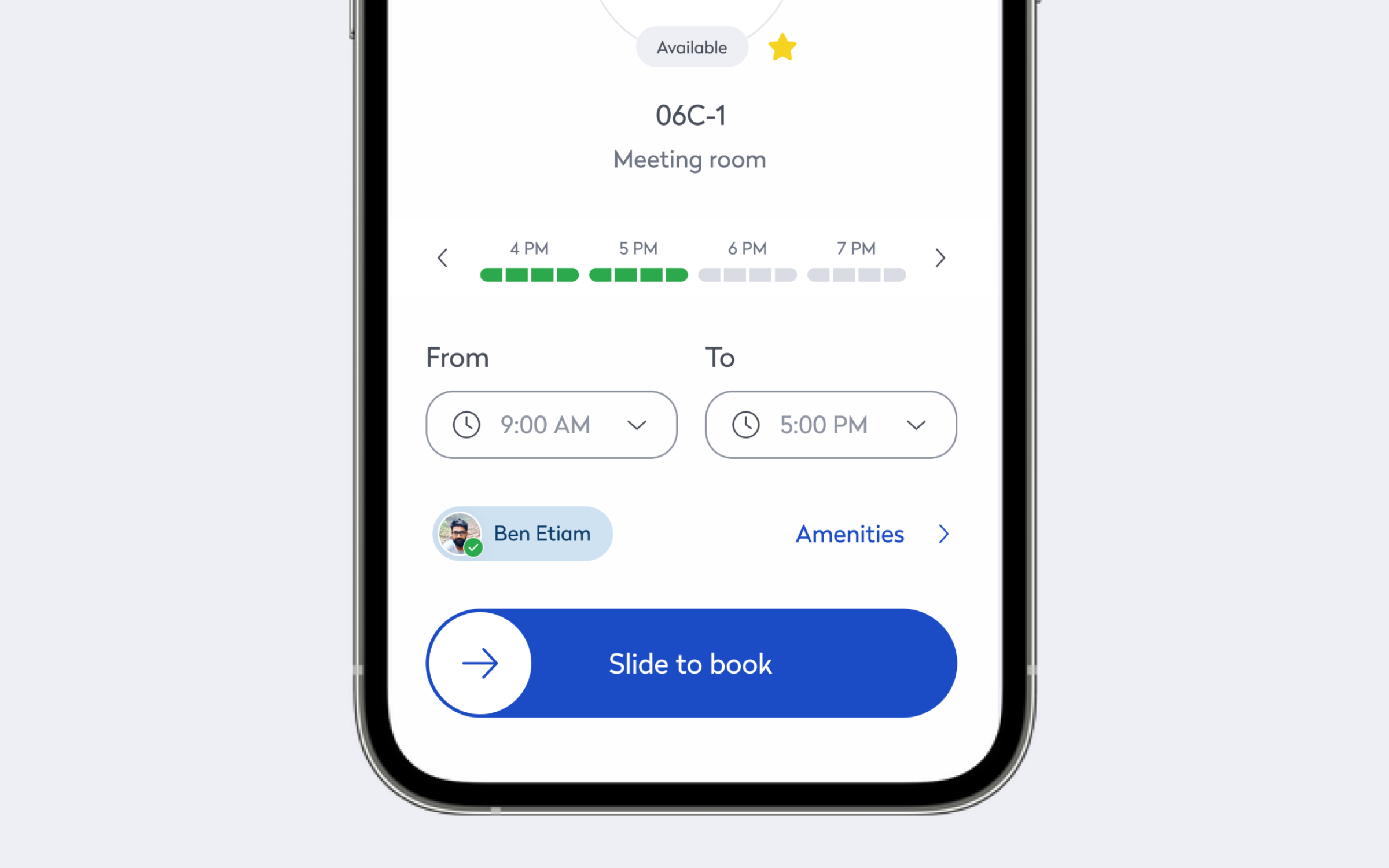
Outlook connects the calendar with workplace scheduling and logistics, helping employees coordinate meetings, rooms, desks, and work-location information as part of one plan. Teams supports communication before and during the office day, while Teams Rooms connects scheduled collaboration with the physical meeting space. Together, those experiences reduce the need to move between unrelated workplace tools or enter the same information several times.
Eptura Assistant adds a natural-language way to interact with workplace information and actions. An employee could ask for the best day to come into the office next week, reserve a desk for Wednesday, and book a room for an afternoon meeting. The experience uses a Copilot-style interaction, while the workplace actions and information come from Eptura. Employees gain a familiar conversational experience for practical workplace tasks, with the relevant information and actions connected behind it.
Eptura helps maintain accurate workplace presence and space information across the Microsoft ecosystem, including Microsoft Places. Employees get more dependable context when planning time onsite, while workplace and IT teams can reduce the administration and confusion that come from maintaining inconsistent information across systems.
Microsoft Fabric and Power BI can help extend workplace information into broader analytics and reporting, giving leaders additional context for workplace and portfolio decisions.
Better experiences create better workplace information
When workplace interactions happen through familiar Microsoft experiences, the immediate benefit is an easier employee journey. People spend less time searching for the right application or rebuilding plans across multiple tools. Office days become easier to coordinate, meeting experiences are more connected, and employees have clearer information about the people, places, and services available to them.
That ease of use can also strengthen adoption. When employees consistently book spaces and update plans, workplace teams gain a clearer picture of demand and intended use. The data begins with everyday employee activity, but it can help teams improve services, understand which spaces support different types of work, and identify where employees continue to encounter friction.
The business value follows the employee experience rather than replacing it. Better visibility can help workplace teams align services with demand, support corporate real estate decisions about space, and give IT a more consistent view of the workplace information connected with Microsoft 365. Organizations gain more value from their existing technology investments while creating a clearer relationship between digital collaboration and the physical environments where work happens.
Add intelligence without adding another experience to learn
AI supports the connected-workplace story when it makes familiar workflows easier. Natural-language experiences can reduce the effort required to find workplace information or complete routine actions. Employees shouldn’t need to understand a separate AI strategy to book a desk or coordinate a meeting. They should be able to ask a practical question and continue through the relevant workplace action.
The important point is continuity. AI remains supporting proof of what becomes possible when workplace information is connected with the Microsoft 365 experiences employees already use.
More ways to see the connected workplace at Microsoft Ignite 2026
Everything comes together at booth 558R, where attendees can walk through the same office-day journey across Eptura Assistant, Eptura Engage, and Outlook. From deciding when to come in and booking a desk to coordinating work-location information and reserving a meeting room, the demonstration will show how workplace planning can stay connected with familiar Microsoft workflows. Visitors can see the experience in action and talk with the Eptura team about how it could apply to their own workplace.
Watch the connected workplace in action
You can also watch ODSP2175, “Connect Microsoft 365 and the built environment.” In the pre-recorded foundational session, John Hilderbrands, Vice President of Alliances & Channel Solutions at Eptura, will walk through a practical workplace challenge and demonstrate how workplace information can be surfaced through familiar Microsoft experiences. The session will show how employees can coordinate office days, spaces, meetings, and workplace services without relying on disconnected workflows, and it will be available to in-person and online attendees under Agentic Business Applications.
To learn how workplace planning and execution can feel like a natural extension of Microsoft 365, explore how Eptura brings the workplace into Microsoft 365.
Frequently Asked Questions

By Erin Sevitz
As Vice President of Content and Customer Marketing at Eptura, Erin Sevitz oversees teams responsible for providing worktech insights and engaging 25 million Eptura users worldwide. With over 10 years in thought leadership on workplace management and the built environment, Erin brings deep industry knowledge to her role. Previously, she led communications for the International Facility Management Association, a global nonprofit dedicated to professional development for workplace strategists and building managers, and served as editor in chief for IFMA’s FMJ magazine.