Finding the right visitor management system starts with understanding what it must do and how it interacts with other systems. The decision is no longer about replacing a paper logbook with digital sign-in. Visitor management now affects access, compliance, emergency response, and employee workflows.
According to Eptura’s latest Workplace Index report, 66% of workplace leaders use six or more workplace technology systems, and 33.5% use 15 or more. Another isolated application just adds duplicate work and fragmented data for the IT team to deal with.
The right solution has the security, compliance, and integrations you need to support overall organizational business goals.
Key takeaways
- Start with enterprise requirements: Define the locations, visitor populations, security controls, compliance obligations, and integrations the system must support before comparing individual features
- Evaluate the complete visitor journey: Administration, workflows, credentials, privacy controls, emergency accountability, and reporting should work together rather than operate as isolated capabilities
- Ask vendors to demonstrate the evidence: Use realistic scenarios to test configuration, integrations, audit records, location management, and reporting instead of relying on feature lists or future promises
The strongest system is not necessarily the one with the most features. It is the one that can support your requirements without adding unnecessary administration, disconnected data, or manual work.
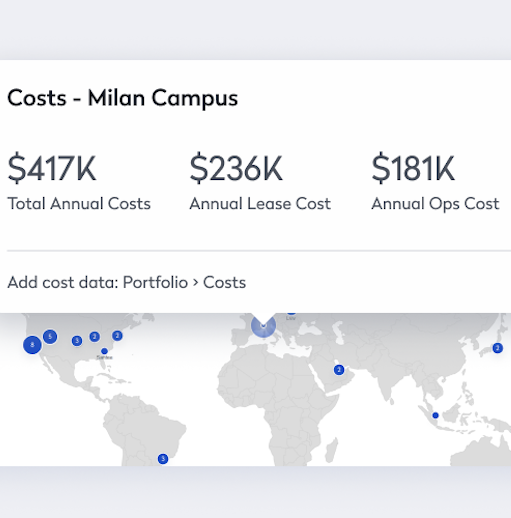
Centralized administration across every location
Multi-location management requires shared standards, portfolio visibility, and the ability to update selected locations without repeating the work site by site. Local teams need daily control without access to data or settings from the rest of the organization.
Location groups, reusable templates, and granular permissions help maintain that balance. Single sign-on and automated provisioning should also update employee access as people join, change roles, or leave.
During a demonstration, ask the vendor to change a shared setting for several locations, delegate one site, and show the audit history. Separate accounts or repeated manual updates will become harder to govern as the portfolio grows.
When evaluating centralized administration, look for:
Together, these capabilities show whether the platform can reduce administrative work without weakening local accountability. The goal is consistent control that remains practical as the organization adds locations.
Configurable workflows for different visitor types
Clients, contractors, vendors, candidates, delivery personnel, and visiting employees require different experiences. A client may only need an invitation and host notification, while a contractor might need pre-approval, safety documentation, and restricted access.
An enterprise platform should allow administrators to create most of those differences through configuration rather than custom development. Visitor type, location, host, visit purpose, or an answer to a screening question should be able to change the approval path, information collected, agreement presented, badge issued, or access granted.
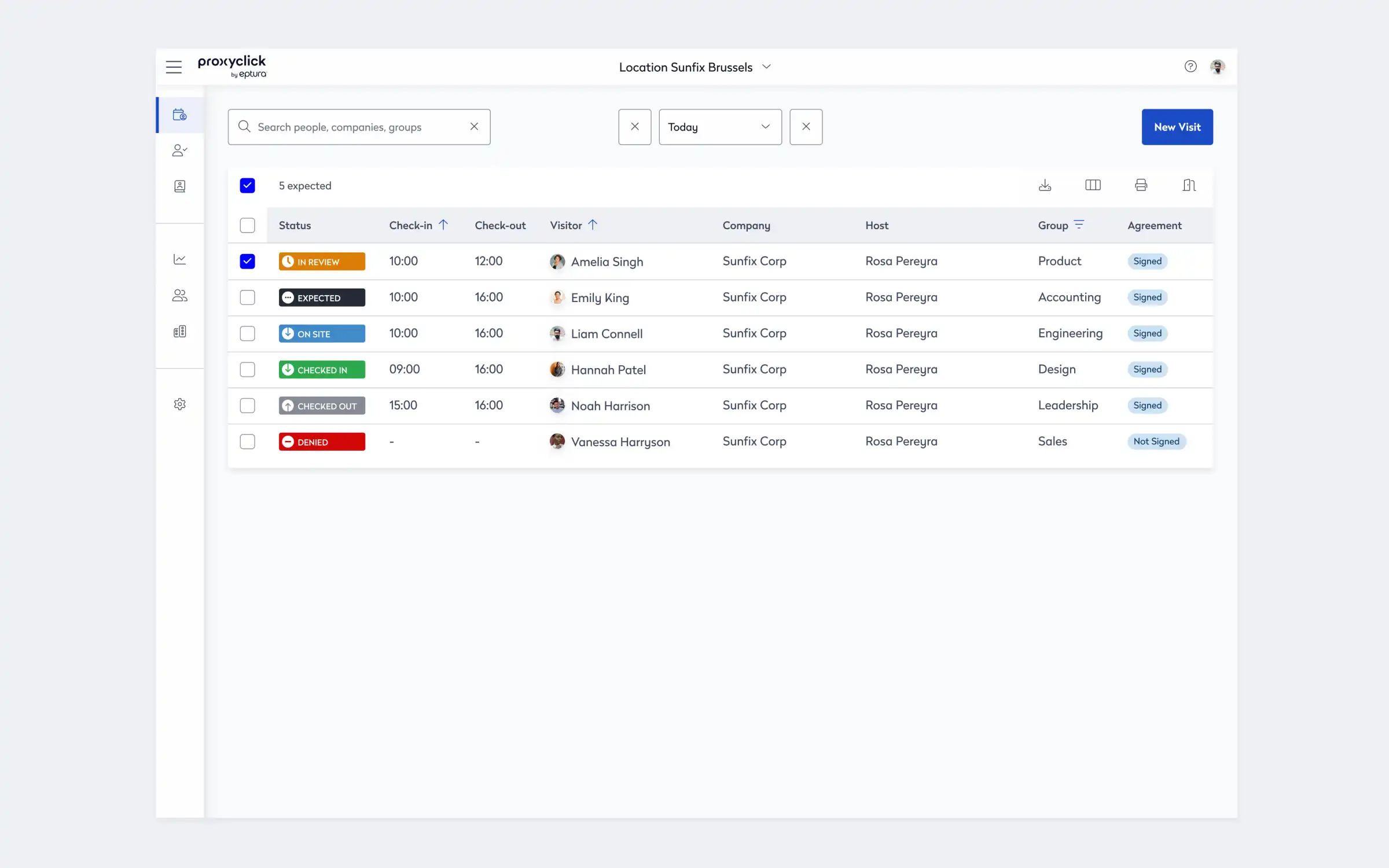
Ask the vendor to modify a workflow during the demonstration. If routine changes require professional services, every visitor receives the same form, or reception staff must forward approvals manually, the workflow is not truly adaptable.
A strong system should support these workflow capabilities:
The workflow should adjust to the visitor and the level of risk rather than forcing every person through the same process. That flexibility helps teams improve security without adding unnecessary steps to routine visits.
Security controls that follow the complete visit
Visitor security should control who enters, where they can go, and how long they retain access from pre-registration through check-out. That means before arrival, authorized teams should be able to approve visits, review screening responses, and check visitors against organization-defined watchlists and approved screening processes. At check-in, identity verification processes should help confirm that the person arriving matches the approved registration. Access permissions should then reflect the location, visitor type, and purpose of the visit rather than issuing a generic credential.
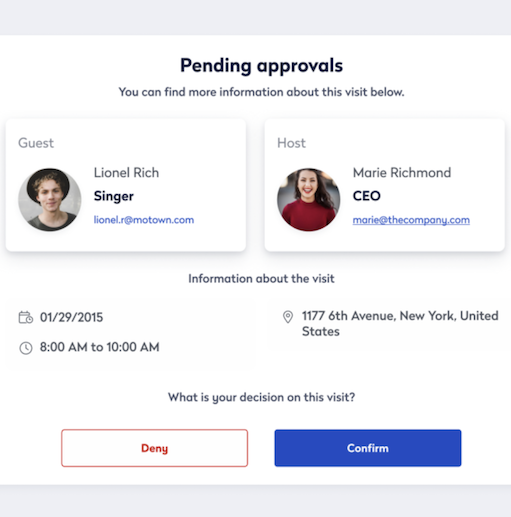
When integrated with access control, check-in should activate the appropriate credential, with access removed at check-out or expiration. Ask what happens when security denies a visitor, a host does not respond, or a visit runs late.
For emergencies, local teams should be able to use available visitor and access data for occupancy lists or roll-call workflows. Spreadsheet exports and manual cleanup may not provide timely information.
The security evaluation should confirm:
No single feature creates a secure visit on its own. The real test is whether screening, identity checks, credentials, occupancy data, and emergency workflows support one another from arrival through departure.
Privacy and compliance controls that can be demonstrated
Visitor records can contain contact details, photographs, identification data, signed agreements, and access history. Buyers need to know what the system collects, who can access it, where it resides, and when it is removed.
Retention controls should allow data to expire automatically according to corporate and regional requirements. Global organizations may need different rules for different locations, so an account-wide retention period may not provide enough flexibility. The platform should also restrict who can search, edit, or export personal information and maintain a record of important activity.
Agreement records should preserve the version, signature, date, visitor, and related visit. Administrative history should show changes to retention, permissions, and workflow requirements.
Ask the vendor to demonstrate a retention rule, delete an individual visitor record, and produce an audit export. These tasks reveal far more than written assurance. If deletion requires a support ticket or administrators cannot determine who viewed or exported visitor information, the organization may struggle to meet its own governance requirements.
Ask vendors to demonstrate these privacy and compliance controls:
These controls should be visible and testable inside the platform. When privacy depends on manual processes or vendor support, it becomes harder to apply policies consistently across regions and locations.
Integrations that connect visitor and workplace operations
Visitor management rarely operates alone. Calendars create visits, identity systems maintain hosts, access-control platforms issue credentials, and collaboration tools deliver notifications. Disconnected workflows shift work back to employees, reception, and security teams.
Integration depth matters more than marketplace logos. A connection might automate data and actions, or it might only link to another application and leave the work manual.

For every critical connection, determine what data moves, how quickly it updates, and what happens when one system becomes unavailable. Confirm extra licensing and who owns cross-vendor support.
Request demonstrations using the systems in the organization’s actual environment, particularly identity management, access control, Microsoft applications, workplace platforms, and emergency communications. A live workflow reveals whether an integration removes work or simply moves it to another screen.
The integration review should cover:
The best integrations remove duplicate work and keep information consistent across systems, so you should prioritize the connections that support their actual visitor, security, and workplace workflows.
Consistent experiences with approved local flexibility
Visitors should recognize the same organization at headquarters and regional offices. Invitations, instructions, agreements, notifications, badges, and check-in steps should follow a clear standard.
Global standardization cannot ignore local needs. Locations may require different languages, legal text, access rules, arrival directions, or emergency information. The system should separate the settings that global teams control from those local administrators can adjust.
When adding a location, teams should be able to reuse approved workflows, permissions, branding, and security settings where supported. Global updates should not overwrite approved local requirements.
Ask the vendor to create a new regional office from an existing template, then change its language, agreement, and local administrator. The demonstration should show how quickly the system can expand while preserving governance. A platform that requires complete reconfiguration for every site may work for a few offices but create significant overhead at enterprise scale.
For global consistency and local flexibility, look for:
This balance helps organizations deliver a recognizable experience without ignoring local operating requirements. It also makes expansion easier because new sites can start from established standards instead of rebuilding every process.
Reporting that supports decisions and investigations
Enterprise reporting should support compliance, investigations, location comparisons, emergency planning, and operational improvements, not only total visitor volume.
Operational dashboards should distinguish expected, checked-in, and checked-out visitors by building and visitor type. Exception reporting should make denied visits, organization-defined watchlist matches, missing agreements, failed notifications, and incomplete check-outs easy to find. Security teams should also be able to reconstruct an individual visit, including approval, arrival, credential activity, and departure.
Consistent definitions matter. If one office counts pre-registrations while another reports completed check-ins, the comparison is misleading. Shared logic should reveal genuine differences in volume, exceptions, and workflow completion.
Ask the vendor to produce a complete audit record for one visitor and a cross-location exception report. Confirm that the system can filter by location, visitor type, host, status, date, and security outcome without requiring several exports to answer one question.
Enterprise reporting should include:
Reporting should help teams answer specific operational and security questions, not simply display totals. Strong systems make it easier to move from portfolio trends to the complete history behind an individual visit.
Choose a system that connects the complete visitor journey
The right visitor management system should do more than improve check-in. It should connect administration, visitor workflows, security, compliance, integrations, and reporting so teams can manage different visitor populations consistently across locations.
Ready to connect visitor operations across your workplace while supporting safer, smoother arrivals? Explore Eptura Visitor.
Frequently asked questions

By Erin Sevitz
As Vice President of Content and Customer Marketing at Eptura, Erin Sevitz oversees teams responsible for providing worktech insights and engaging 25 million Eptura users worldwide. With over 10 years in thought leadership on workplace management and the built environment, Erin brings deep industry knowledge to her role. Previously, she led communications for the International Facility Management Association, a global nonprofit dedicated to professional development for workplace strategists and building managers, and served as editor in chief for IFMA’s FMJ magazine.